
I found my home address online. Sitting on websites I had never heard of, free for anyone to see. I am a mother of 3. That page did not feel like "public information." It felt like my front door left wide open.
So I made a decision: my address was coming off the internet, and I was going to use AI to do it faster.
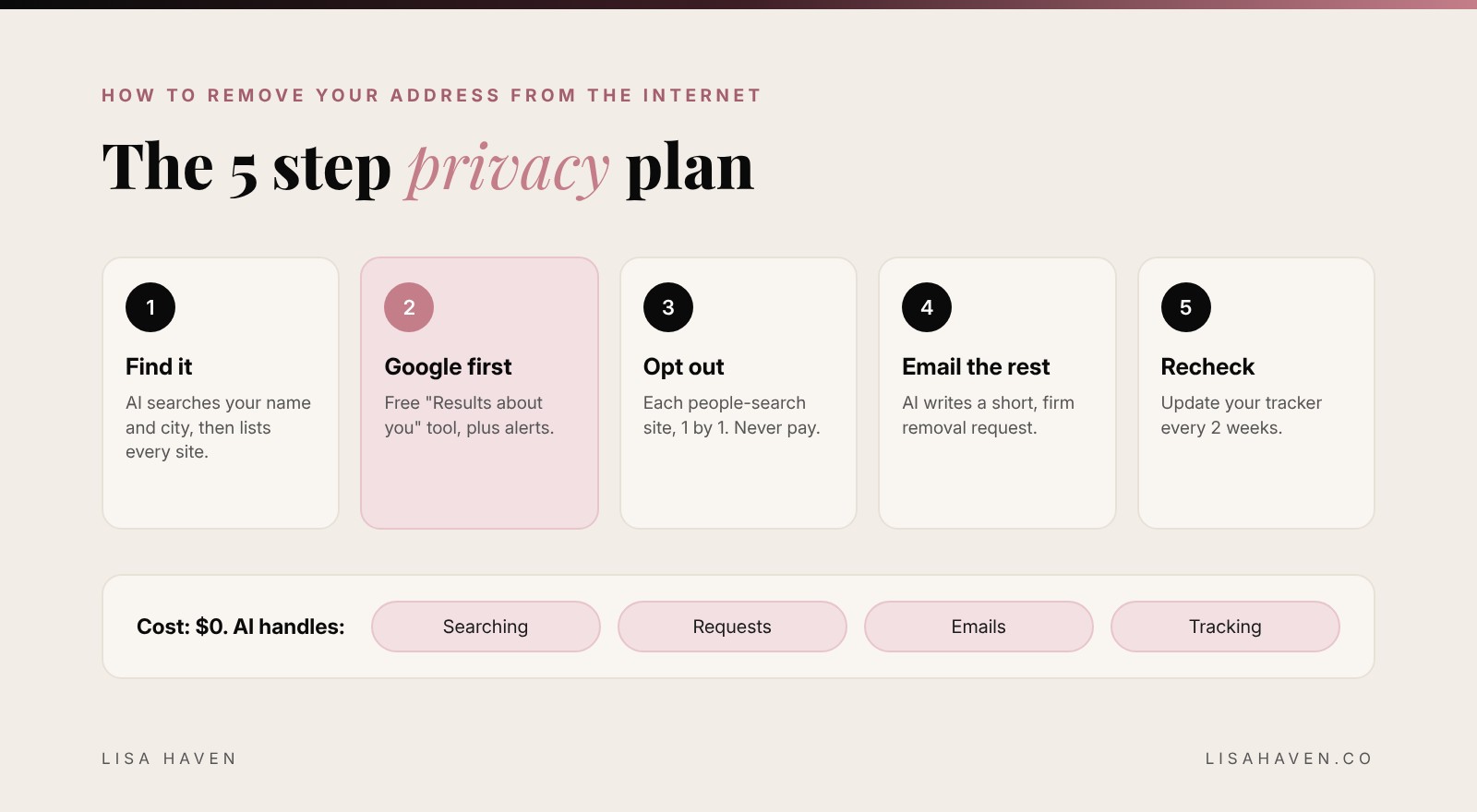
Here is the short answer on how to remove your address from the internet with AI: find every site that shows it, remove it from Google with Google's free "Results about you" tool, opt out of each people-search site one by one, email any other site that still shows it, and recheck every 2 weeks. AI does the heavy lifting: it finds the sites, writes the requests and keeps your list organized. You click send.
Below is the exact system I use, with the prompts I copy and paste into Claude and ChatGPT.
Why is my address online in the first place?
You did not post it. That is what makes this so frustrating.
Most of the time, your address shows up because of data brokers. These are companies that collect information about you from public records, old sign-ups, shopping data and other sites. Then they package it and sell it. The ones you find on Google are called people-search sites. They make a profile with your name, address, phone number, relatives and age, and they rank it on Google so strangers can find it.
There are 3 main places your address lives:
- People-search sites. The biggest problem, and the easiest to fix yourself.
- Google search results. Google shows the pages. Removing them from Google hides them from most people fast.
- Public records. Like property records on your county website. These are harder, and I will be honest with you about them below.
The good news: most of this is free to fix. It just takes a system. That is where AI comes in.
How to remove your address from the internet with AI: the 5 steps
Step 1: Find every place your address shows up
You cannot remove what you cannot find. Start with a full search. Claude and ChatGPT can both search the web now, so let AI do the digging and build your list for you.
Before you paste anything into an AI tool, 1 rule: only share what is already public. Your name, city and state are enough. Never paste your Social Security number, bank details or passwords into any AI chat. You do not need them for this.
Act as my personal privacy assistant. Search the web for public pages that show personal information about me.
My name: [full name, plus any past last names]
My city and state: [city, state]
Find people-search sites, directories and any other pages that may show my home address, phone number or age.
Give me a table with: site name, page link, what info it shows, and whether the site has an opt-out page.
Only list pages you actually found. If you are not sure, mark it "check by hand."
Then do 1 manual check yourself. Search your name plus your city in Google, and your name plus your street name. AI is a great helper, but you are the final check.
Step 2: Remove your address from Google first
This is the fastest win, and almost nobody knows about it. Google has a free tool called Results about you. You enter your address, phone number and email, and Google finds search results that show them. Then you can ask Google to remove those results.
Here is the part I love: you can turn on alerts. Google will email you when a new result with your info shows up. According to Google's own help page, the tool covers your phone number, home address and email address.
1 honest note: removing a result from Google hides it from search, but it does not delete the page itself. That is why steps 3 and 4 matter.
Step 3: Opt out of every people-search site
Each people-search site has its own opt-out page. Some take 2 minutes. Some want you to confirm by email. This is the part that eats the most time, and AI cuts it way down.
Ask AI to turn your list from step 1 into a simple action plan:
Here is my list of people-search sites that show my address: [paste the list]
For each site, give me:
1. The official opt-out or removal page link from the site's own domain
2. The exact steps to opt out, in order
3. What info the site will ask for
4. How long removal usually takes
Put the easiest ones first. Warn me if a site asks for payment, because I will not pay to remove my own information.
3 rules that will save you trouble:
- Check the link. Make sure the opt-out page is on the real site's address before you type anything. AI can get links wrong.
- Give the least info possible. If a site asks for your email, use a separate email just for opt-outs.
- Never pay a people-search site to remove you. Opting out should be free.
Step 4: Email every other site that still shows it
Some pages will not have an opt-out button. Old directories, small blogs, random listing sites. For these, you send a short, firm request to the site owner. AI writes it in seconds.
Write a short, polite but firm email asking a website to remove my personal information.
Website: [site name and page link]
What to remove: my home address [and phone number / age, if listed]
Tone: calm, clear and professional. Under 120 words.
Ask them to confirm by email once it is removed, and to keep my information from being re-added.
Do not threaten anything. Do not include any personal details beyond what I listed.
Look for a "Contact," "Privacy" or "Legal" link at the bottom of the site to find where to send it.
Step 5: Track everything and recheck every 2 weeks
This is the step that makes it actually work. Data brokers buy new data all the time, so your address can pop back up. I keep a simple removal tracker and recheck every 1 to 2 weeks. It turns a scary mess into a checklist.
Turn this list into a removal tracker table: [paste your sites and what you have done]
Columns: site, link, date I requested removal, status (removed / pending / not started), next check date.
Set the next check date 14 days from each request.
At the end, list my top 3 to-dos for this week.
Every 2 weeks, run your search from step 1 again and compare it to your tracker. New site? Add it and repeat the steps.
Can you remove your address from public records?
Here is the honest truth: usually not.
In most states, property records are public, and your county website may show the owner's name and the home address. Removing your address from Google and people-search sites still makes a huge difference, because that is where most people look. But the county record itself usually stays.
What you can do going forward:
- Ask your county about exemptions. Some states let certain groups keep their address private. Ask your county office what applies to you.
- Think ahead on your next home. Some people buy property through a trust or a company so their personal name is not on the public record. This is a real legal and tax decision, so talk to an attorney before you do it.
- Check your state's privacy laws. They are changing fast. California now has a free tool called DROP (Delete Request and Opt-out Platform) that lets residents send 1 deletion request to registered data brokers at once. The California Privacy Protection Agency says brokers had to start processing those requests on August 1, 2026.
Do data removal services actually work?
Here is the surprising part most people never hear.
When Consumer Reports tested people-search removal services, doing it yourself won. Manual opt-outs removed 70% of profiles within 1 week. Some paid services had removed only 4% to 6% of profiles even after 4 months. The best paid services reached about 65% to 68% in that same time.
I have paid a company to help me too, and I still do a lot of it by hand. My take: paid services can help with volume, but they are not magic, and nobody will care about your privacy as much as you do. Do the free steps first. If you still want help after that, you will know exactly what you are paying for.
4 mistakes to avoid
- Sharing too much with AI. Name and city only. Nothing private.
- Clicking fake "removal" sites. If it asks for a card to "verify" you, close it.
- Doing it once and forgetting it. Your address can come back. The tracker is the secret.
- Doing it all in 1 night. Do 3 to 5 sites a day. Small daily wins add up fast, and you will not burn out.
The tools I use to remove my info
Some links below may be affiliate links, which means I may earn a small commission at no extra cost to you. I only share tools I really use.
- Claude: my go-to for searching, writing removal emails and keeping my tracker clean.
- ChatGPT: great for quick searches and fast rewrites of a removal email.
- Google Results about you: free, and the fastest single win in this whole post.
- LUMAPROMPT.AI: my human-written prompt library for women. The prompts work in Claude and ChatGPT.
Not sure which AI to use for this? My honest Claude vs ChatGPT comparison breaks down which one fits your life. And if your AI answers keep coming back vague, learn how to ask ChatGPT a question the right way. The same tricks make every prompt in this post work better.
Want more prompts like these, ready to copy? LUMAPROMPT.AI gives you prompts written by real experts for the way women think, for your business, your home and your peace of mind. Protect your time the same way you just protected your address.
FAQ
Can I remove my address from Google for free? Yes. Google's free "Results about you" tool lets you ask Google to remove search results that show your home address, phone number or email. It hides the result from Google search, so also opt out of the site itself.
How long does it take to remove your address from the internet? Many people-search sites remove you within a few days to a week after you opt out. Some take longer. Plan on a few weeks for the first big cleanup, then a quick recheck every 2 weeks.
Is it safe to use AI to remove my personal information? Yes, if you share only what is already public, like your name, city and state. Never paste your Social Security number, bank details or passwords into an AI chat. Always check that opt-out links go to the real site.
Before you go
Have you ever googled yourself and found something that made your stomach drop? Tell me in the comments what you found, or which site was the hardest to get off. I read every single one. 🖤
"Guard your peace like it is the most valuable thing you own, because it is."